







Schedule Optimization Guide for Smarter Planning
Master schedule optimization to streamline your planning and boost team productivity with actionable strategies for 2026.
You already know the feeling. One calendar says you’re free, another shows a client call, and your inbox has three meeting requests that all look urgent. By the time you reconcile work, personal, and shared calendars, the day no longer feels planned, it feels negotiated.
Schedule optimization is the discipline of turning that negotiation into a system. In formal operations research, it emerged as a scheduling problem in the 20th century and now spans workforce, field service, manufacturing, and transportation planning, because every one of those settings has to balance limited time against competing demands (schedule optimization metrics). The same logic shows up in everyday calendar work, even if the tools look simpler.
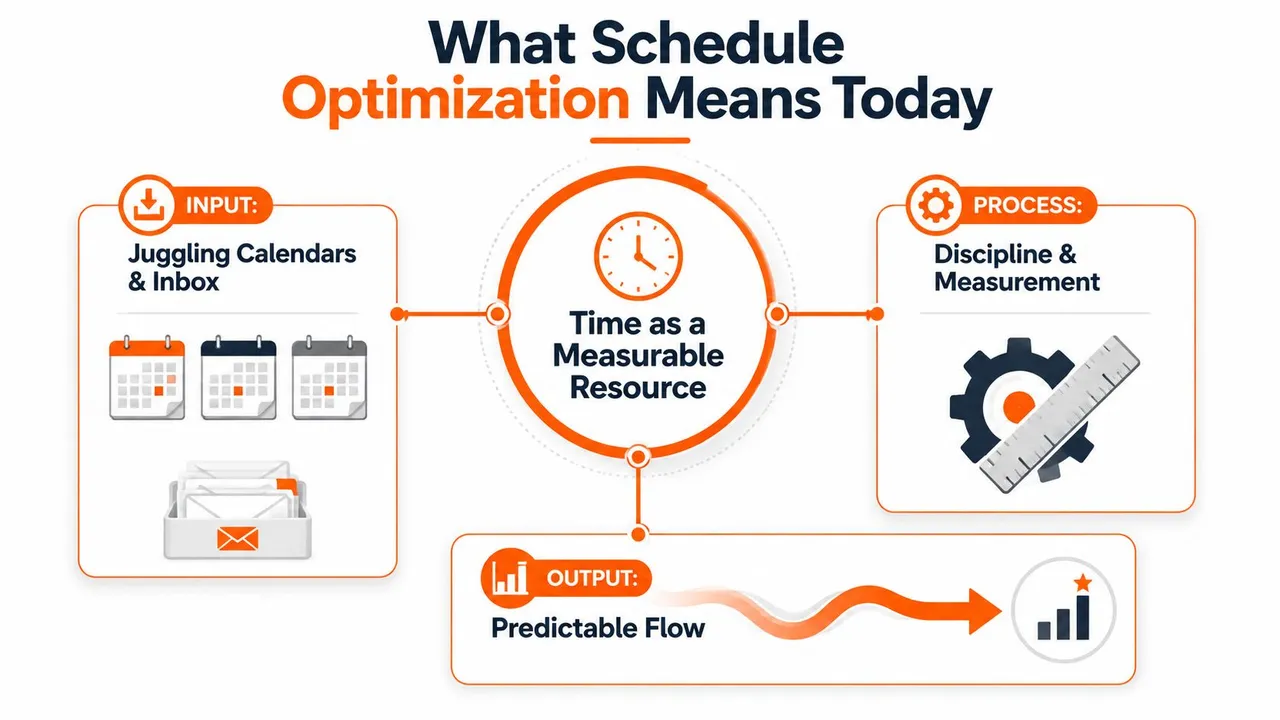
A useful way to think about it is this, time becomes a measurable resource. In practice, organizations judge a schedule with metrics such as labor cost percentage, schedule variance, utilization, and overtime percentage, because those numbers reveal whether a plan is efficient and sustainable (schedule optimization metrics). If you’ve ever compared one calendar’s neatness against another’s chaos, you’ve already been doing a rough version of this work.
For teams in service settings, the same discipline appears in planning tools and field operations. AnchOps’ guide to real-time labor management for restaurants is a good example of how scheduling becomes an operational system, not just a staffing exercise. The important shift is simple, you stop asking only, “What fits?” and start asking, “What fits, what breaks, and what does it cost?”
What Schedule Optimization Really Means Today
A messy week usually does not begin with one large mistake. It starts with a meeting booked into a focus block, a client call placed on top of a family commitment, or an inbox full of requests before you have even checked what is already on the calendar. That is where schedule optimization matters, because it turns scattered commitments into something you can read and manage.
A monthly planner and a work roster may look different, but the underlying problem is the same. You are fitting limited time into competing demands, and every choice has a ripple effect on the rest of the week. A good calendar does more than look organized. It shows where pressure is building, where time is underused, and where one change will create a conflict somewhere else.
From timetable planning to operational design
The field grew out of operations research and mathematical programming, so it treats time like a constrained system instead of a blank page. That mindset now appears in workforce rosters, field-service dispatch, manufacturing runs, and transport routing, all of which have to balance demand against limited capacity (schedule optimization metrics).
That same logic fits personal calendars too. A parent pickup, a sales demo, and a deep-work block all compete for the same scarce resource, so the core question is how to place those blocks without creating hidden overload later, which is why strong time management strategies for entrepreneurs matter in practice. A calendar sync issue can hide that overload by making each app look correct on its own while the week as a whole still breaks apart.
A clean calendar view can be misleading when your time lives across phone, desktop, work tools, and shared family apps. Cross-platform calendar sync is the layer that keeps the plan visible across those systems, the same way a master ledger keeps a business from counting the same dollar twice.
Practical rule: if a plan looks good but keeps collapsing in real life, the issue is usually the model, not your effort.
The four KPIs that reveal whether a schedule works
The standard measures are straightforward. Labor cost percentage ties scheduled time to revenue, schedule variance shows how far the plan drifts from what was intended, utilization measures how much of the available capacity is being used, and overtime percentage flags where the schedule has become too tight to hold (schedule optimization metrics). In service operations, teams also compare output against technician utilization, drive time, SLA violations, and skills violations, because a full schedule that misses service quality is not optimized.
Those measures are useful because they give shape to what people already feel in a crowded calendar. A day packed with meetings can still be inefficient if it leaves no room for preparation, travel, recovery, or a delayed task that has to be pushed into tomorrow. That is why the numbers matter, they show whether the schedule is supporting the work or just filling space.
In higher education, the same discipline has become institutional. Only 42% of institutions use dedicated scheduling software, even though the market is valued at $2+ billion and grows at 6.57% annually (schedule optimization metrics). That gap is a reminder that many organizations still manage a complex planning problem manually.
The simple takeaway is this, a calendar is not good because it looks full. It is good when it supports the outcomes you care about without creating hidden strain.
The Numbers That Reveal Calendar Inefficiency
Bad scheduling is often obvious in real life before it is obvious in a report. A day full of meetings still feels broken when there is no room to prepare, travel, recover, or handle the task that slipped from yesterday. That is why the numbers matter, they turn calendar friction into something you can inspect.
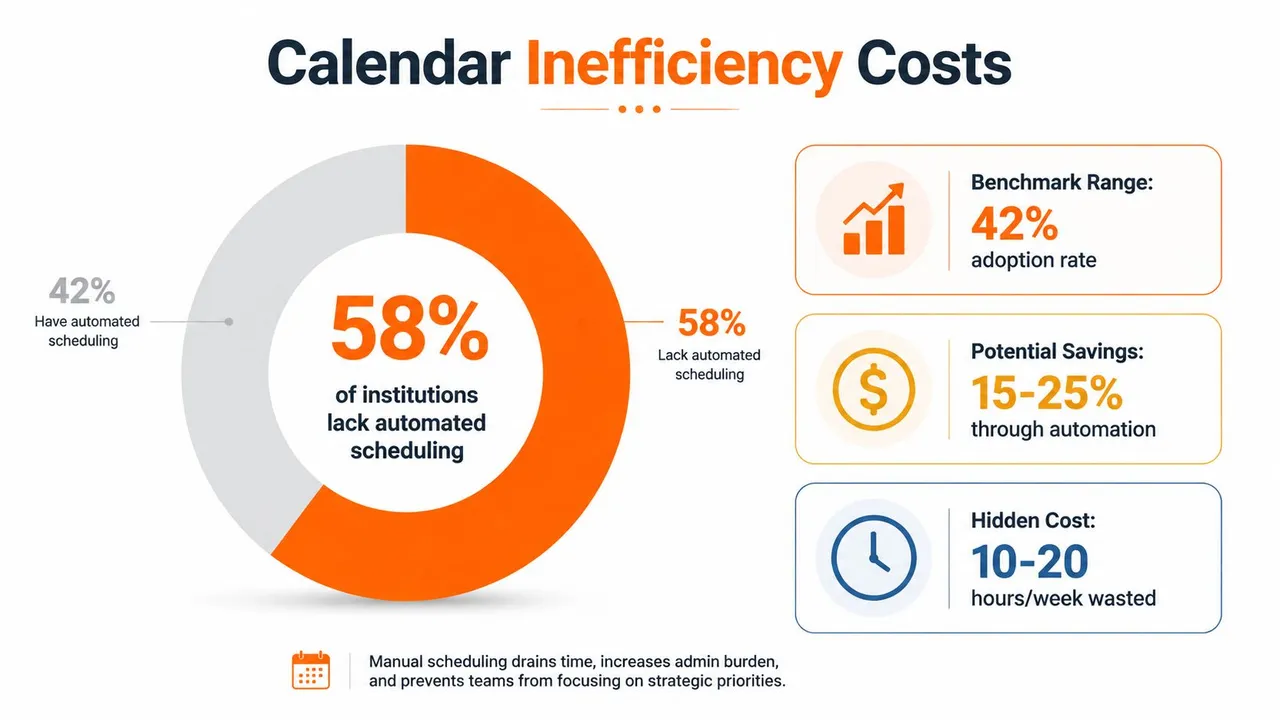
In higher education, one large summary reports that 45% of course sections are underutilized, 25% are overloaded, and nearly 60% of students run into course-availability problems that affect academic progress (education scheduling statistics). The same source says 49% of institutions release schedules less than one academic term in advance, which helps explain why planning often feels reactive instead of coordinated. The pattern is familiar in a shared family calendar too, where a plan that arrives late leaves everyone adjusting after the fact. A useful overview of free, busy, and schedule visibility shows why missing context creates the same kind of friction, even when each calendar looks complete on its own.
What inefficient capacity looks like in practice
Workforce scheduling uses different labels, but the same mismatch shows up. Teams track schedule adherence, schedule stability, advance notice time, and peak time coverage to reduce overstaffing, understaffing, and overtime (education scheduling statistics). In a personal calendar, the question is simple. Do your commitments fit the time you have, or do you keep reshuffling around yesterday’s surprises?
Healthcare-style appointment systems make waste easier to spot. A clinic at 70% utilization still has 30% unused capacity, and no-show rates can range from 15–25% for new patients, 8–12% for established patients, 5–8% for procedure appointments, and under 5% for same-day appointments (education scheduling statistics). That is a useful model for any calendar. A slot can look full on paper and still be wasted if the appointment never happens, runs late, or forces another task into the next block.
Empty time is not always wasted, but unmanaged empty time usually becomes someone else’s scramble.
A 15-minute self-audit
Run this quick check before changing anything:
- Mark idle blocks. Find the calendar gaps that are too small to use well, but too large to ignore.
- Mark overload days. Look for days where meetings crowd out recovery, prep, or follow-up.
- Count last-minute edits. Repeated changes are a sign that the schedule lacks buffer.
- Check release timing. If teammates or family members find out too late, the plan has already lost stability.
- Note recurring conflicts. The same clash often means the underlying rule is wrong, not just the event.
That baseline matters because optimization starts with seeing the waste clearly. Once you can name the friction, you can decide whether the fix is better data, better rules, or better cross-platform calendar sync.
The Three Inputs Every Optimizer Needs
A scheduling tool can only work with what it receives. If the inputs are thin, the output may look neat and still fall apart as soon as real life shifts. Reliable schedule optimization starts with three inputs, enough history, a clear view of who can do what, and a complete rule set.
First, historical demand patterns
Effective schedule optimization depends on a long enough record of demand to show real patterns, not just short-term noise (workforce scheduling whitepaper). That matters because weekly fluctuations can hide seasonal shifts, recurring spikes, and the habits that repeat month after month. If you only inspect a few recent weeks, you end up tuning the schedule for a temporary blip instead of the way demand behaves.
For a personal or team calendar, “historical demand” can mean recurring meeting density, the usual timing of client calls, or the days when your own energy tends to drop. You do not need a heavy analytics stack to see those patterns. You need enough records to stop guessing.
Second, availability and skills
People-based schedules need an availability and skills matrix, which means knowing who is free, who is qualified, and who should not be assigned to a task that does not fit their role (workforce scheduling whitepaper). The idea is easy to recognize in a shared calendar. One person may be open on Tuesday but not the right choice to lead a client meeting, while another may have the right expertise but no room left that day.
Cross-platform calendar sync becomes a practical layer, not a decorative one. A free-busy view can keep availability aligned without exposing event titles, which matters when work, client, and personal calendars all need to stay accurate together. If you use free busy calendar visibility, the point is not to show everything, it is to show enough for scheduling to work without leaking details.
Third, the full constraint model
The final input is a complete constraint model covering labor laws, union rules, business policies, and service-level targets (workforce scheduling whitepaper). Many people skip this step, then wonder why the schedule looks smart on paper and impossible in real life. Good constraints are not bureaucracy, they are the boundaries that keep optimization honest.
Rule of thumb: if a schedule keeps failing, check the constraints before you blame the algorithm.
Data quality matters just as much. The guidance calls for strong demand forecasting and accurate constraint modeling, because small input errors spread quickly once the optimizer turns forecasts into actual time blocks (workforce scheduling whitepaper). In a week that spans multiple calendars, the same problem shows up as silent drift, one calendar says yes while another says no.
A clinic, a client team, and a parent juggling school pickup all run into the same issue. Their calendars may look full, but the schedule only works when the inputs match the actual world. That is why a calm, accurate calendar view matters as much as the algorithm itself.
Algorithms Versus Human Judgment in Real Schedules
A scheduling algorithm is fast, but speed isn’t the same thing as wisdom. The best engines can explore many options, honor hard constraints, and re-optimize after disruptions, which is exactly what you want when the day changes under your feet. Human judgment still matters because not every conflict is a math problem.
What the machine handles well
Algorithms are strong at large search spaces. They can test many combinations quickly, enforce rules consistently, and rebuild a plan when a meeting gets canceled or a job changes priority. In complex service operations, that ability to re-optimize with minimal disruption is a core advantage, because the schedule has to react as conditions change rather than stay frozen around yesterday’s assumptions (schedule optimization gap).
That’s why teams using volunteer or community tools often want automation before anything else. A useful reference point is volunteer scheduling tools for nonprofits, where the hard part is not just placing people into slots, but adapting when a volunteer drops out or a shift changes. The same logic applies to personal calendars, except the “volunteer” might be a client meeting, a school pickup, or a travel block.
Where human judgment still wins
People are better at fairness, context, and exceptions. An algorithm can optimize toward utilization, but a manager may decide that one person shouldn’t carry a rough week back to back. A consultant may keep a long lunch open on purpose because that is the only time a child’s schedule is predictable. A salesperson may protect a travel day even if the model says a few more calls could fit.
| Dimension | Algorithm strength | Human strength |
|---|---|---|
| Large-scale pattern matching | Tests many combinations quickly | Spots context the data doesn’t contain |
| Constraint enforcement | Applies rules consistently | Decides when an exception is justified |
| Disruption handling | Rebuilds plans fast | Chooses what should stay untouched |
| Fairness and morale | Applies the same logic each time | Judges when equal treatment isn’t fair |
The healthiest setup is not algorithm versus person. It’s algorithm as the fast draft, human as the editor. The draft gives you structure, and the editor decides whether the structure still makes sense once you remember the people behind the calendar.
A Weekly Workflow That Sticks Across Calendars
A schedule rarely stays organized on its own. It holds together because someone keeps checking it, adjusting it, and making sure the different calendar layers still match. A weekly routine gives that work a stable rhythm, and synced calendars keep the same shape across work, client, and personal accounts.
A Monday that feels controlled usually starts before Monday arrives. A Sunday reset gives you a chance to clear obvious conflicts, check what moved, and compare the week ahead with the constraints already on the books. The point is the same one covered in calendar organization tips, treat the calendar like a working system, not a perfect archive.
On Monday, put the most important time on the calendar first. Deep work, prep, and recovery should go in before meetings fill the gaps. A synced view matters here because the same availability has to appear the same way in Google Calendar, Outlook, or Apple Calendar, or the week will look open in one place and full in another.
Protecting privacy while keeping availability accurate
Cross-platform sync only helps if it does not reveal more than it should. Keep private event titles masked, mirror free-busy where needed, and use one calendar as the source of truth so edits do not create confusion across multiple accounts. The goal is simple, make the calendars agree on availability without forcing every detail into view.
Useful habit: protect the event details you do not need others to see, but never hide the fact that you are unavailable.
That balance matters in a real calendar because availability is the part other people rely on first. A client only needs to know whether a slot is open. Your personal calendar may need to hold the reason private.
Friday audit and review note
End the week with a short audit. Check what got moved, what stayed protected, and where the schedule handled stress well. A simple review note can keep the pattern visible:
- What stayed stable: list the blocks that survived unchanged.
- What broke first: name the type of event that caused the most churn.
- What needs a rule: note one repeated conflict that should become automatic.
- What should be synced differently: mark any calendar pair that still drifts.
For people who manage separate work and personal calendars, a sync layer can also support field masking and visibility rules so that one calendar blocks time in another without exposing sensitive details. That same practical logic is why tools like SyncThemCalendars exist. They keep the calendar layer aligned so you spend less time repairing double-bookings and more time making decisions.
Case Snapshots From Entrepreneurs, Freelancers, and Teams
The same scheduling principles behave differently depending on who is using them. That’s why real calendars matter more than abstract models. A good workflow should flex across solo work, client-heavy consulting, and team coordination without asking people to rebuild their week from scratch.
An entrepreneur managing two ventures and a board calendar often faces a visibility problem. One calendar may show enough to look clear, while another hides the meetings that make the week impossible. By consolidating availability into a synced view and using one calendar as the source of truth, the entrepreneur can stop approving meetings that only look open on paper.
A freelance consultant usually hits a privacy problem next. Client bookings need to stay accurate, but personal obligations shouldn’t appear in detail to outside contacts. Once free-busy mirroring and field masking are in place, the consultant can protect sensitive event information while still preventing accidental double-bookings across accounts.
A small sales team tends to run into coordination friction across regions. One rep books a follow-up, another adjusts for time zones, and a third still sees stale availability in a different system. With consistent sync rules and shared calendar boundaries, the team gets closer to the same picture of the day, which reduces back-and-forth before the meeting even happens.
Designing Schedules That Survive Real Life
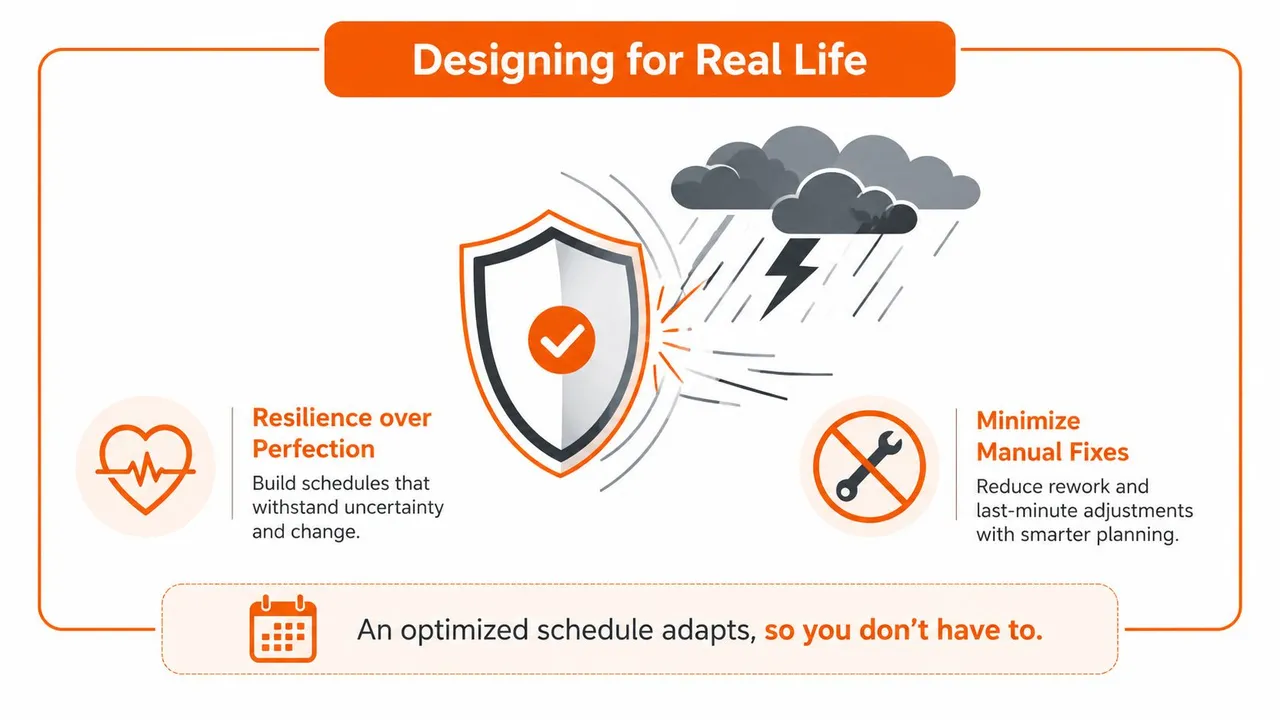
A week can look orderly on paper and still break by Tuesday. A meeting moves, a flight runs late, a client adds a call, and the calendar that seemed clean now needs repairs. Resilient schedule optimization starts with that reality, then builds a plan that still works when the day changes shape.
Build for disruption, not just fill rate
The strongest schedules include buffers, checkpoints, and repair rituals. A buffer gives late changes somewhere to land. A checkpoint tells you when to compare the current week against the plan. A repair ritual is the small, repeatable step you use to correct drift before it spreads into the rest of the calendar.
That approach matches a more practical view of optimization, one that treats the schedule as something that should absorb uncertainty with minimal manual intervention. It also aligns with how people rely on calendar color coding to scan the day quickly, because visual structure only helps when the timing underneath it stays coherent enough to trust.
A 30-day starting checklist
Use the next month to build the habit without overengineering it:
- Week 1, measure the baseline. Track idle blocks, overload, and last-minute changes.
- Week 2, set the sync layer. Decide which calendar is the source of truth and what gets mirrored.
- Week 3, protect the rules. Add privacy masking, free-busy visibility, and recurring blocks you won’t move casually.
- Week 4, review the repairs. Look at what still needs manual cleanup and whether the same conflict keeps returning.
A schedule that only works when you micromanage it is fragile. The better goal is to let the calendar do more of the coordination work so you are not babysitting every change.
If you want a practical way to keep work, client, and personal calendars aligned without exposing more than you need to, SyncThemCalendars is built for real-time event synchronization across Google Calendar, Microsoft Outlook, and Apple Calendar. Visit SyncThemCalendars to see how cross-platform sync can reduce double-bookings and make your weekly planning easier to maintain.
Ready to sync your calendars?
Keep your Google, Outlook and Apple iCloud calendars in sync automatically. 2-minute setup, no credit card required.
Get started freeKeep reading
More in Guides
Synchronize Apple Calendar with Outlook: A 2026 Guide
Step-by-step guide: Synchronize Apple Calendar with Outlook on Windows, iPhone and Mac, with two-way options, privacy trade-offs and fixes.
SyncThemCalendars Quick Setup Walkthrough
Master the SyncThemCalendars quick setup in minutes. Connect Google, Outlook, or iCloud, configure privacy masking, and verify your first sync effortlessly.

Merging Google Calendars: The Complete Guide for 2026
Merging Google Calendars. Learn the best ways to merge Google Calendars. Compare import methods, sync tools, and automation strategies