







One Way Calendar Sync: How to Share Availability Securely
Learn how one way calendar sync protects your privacy while keeping availability aligned across Google, Outlook, and iCloud for seamless scheduling.
One-way calendar sync copies events from a source calendar to a target calendar, but target-side changes don’t flow back. It lets you share availability while keeping private event details under your control.
You may be juggling a personal calendar, a work account, and a client-mandated scheduling system right now. A client needs to know when you’re free, but your internal planning sessions, family appointments, and private commitments shouldn’t become part of that conversation. The right sync design gives them a usable view of your availability without turning your entire life into an open calendar.
What Is One Way Calendar Sync
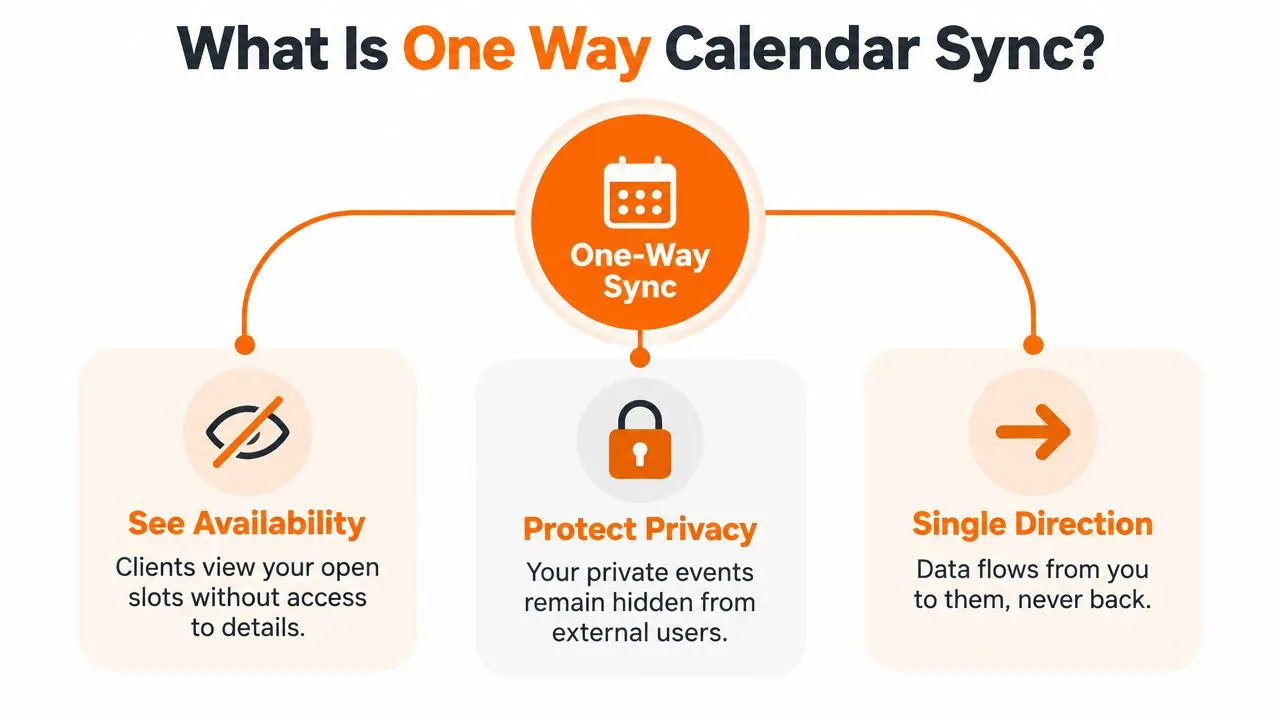
Consider a freelance consultant who manages work in Google Calendar, personal appointments in Apple Calendar, and client bookings in Outlook. If every calendar can write to every other calendar, a small edit can trigger duplicate events, conflicting changes, or accidental deletions. A one-way arrangement is more deliberate: the consultant chooses one calendar as the source, then copies selected events or availability into a target calendar.
The target is a controlled reflection, not a second master calendar. When the consultant changes an event in the source, the target can receive the update. If someone edits or deletes the copied item in the target, that change doesn’t return to the source. The source remains authoritative.
A calendar link isn’t the same as sync
A shared calendar link generally gives another application permission to read a feed or calendar view. One-way sync actively copies information into a destination calendar, often as a placeholder or transformed event. That distinction matters because the destination can become useful inside its own scheduling workflow while the source retains control.
For example, a consultant might publish a copied event titled “Busy” to a client-facing calendar. The client sees that the time is unavailable, but not the internal meeting title, participants, notes, or location. A sales team that wants to connect this availability to its outreach process can also consult a practical pipeline generation guide by Grou, while keeping calendar disclosure narrowly scoped.
One-way sync is therefore less about copying everything and more about defining what the recipient needs to know. You can choose whether the target receives identifiable event information, masked placeholders, or only blocked time, depending on the tool and permissions involved.
How It Works Behind the Scenes
The simplest technical model is a single-source-of-truth replication flow:
- The source calendar contains the authoritative event.
- A sync service reads permitted calendar data.
- The service applies direction and privacy rules.
- The target receives a new or updated copy.
- Target-side edits stay local and don’t mutate the source.
That last rule is the architectural advantage. In a two-way system, both calendars can become writable. If a meeting changes in both places before either update arrives, the system must decide which version wins. One-way sync avoids that distributed conflict because every event mutation begins in one place.
Why protocols matter
Calendar interoperability developed through standards work rather than a single vendor’s private format. The predecessor vCalendar was issued by the Versit Consortium in 1996, iCalendar reached proposed-standard status in 1998, and RFC 4791 later defined CalDAV as a standard way to access, manage, and share calendaring and scheduling data based on iCalendar. CalConnect’s standards history also records how CalDAV moved forward after the earlier CAP effort stalled.
That history matters because a standard protocol gives different calendar systems a common language. Google continues to document CalDAV endpoints for calendar access in its CalDAV developer documentation, demonstrating that the approach remains operational rather than merely historical.
A mirror is safer when the target only needs occupancy. It doesn’t need permission to rewrite the source, and the sync service doesn’t need to reconcile two competing authorities. Product interfaces can make this model easier to understand, as illustrated by SupaBird’s calendar overview, but the underlying principle stays the same: one origin, one direction, controlled replication.
Practical rule: Decide which calendar owns the truth before you connect anything. Direction is an access-control decision, not just a setup preference.
Privacy and Data Protection Benefits
Availability and event detail are different kinds of information. A scheduler may need to know that you’re busy from one part of the afternoon to another, but they rarely need the title of your confidential client call, the name of a medical provider, or the address of a personal appointment.
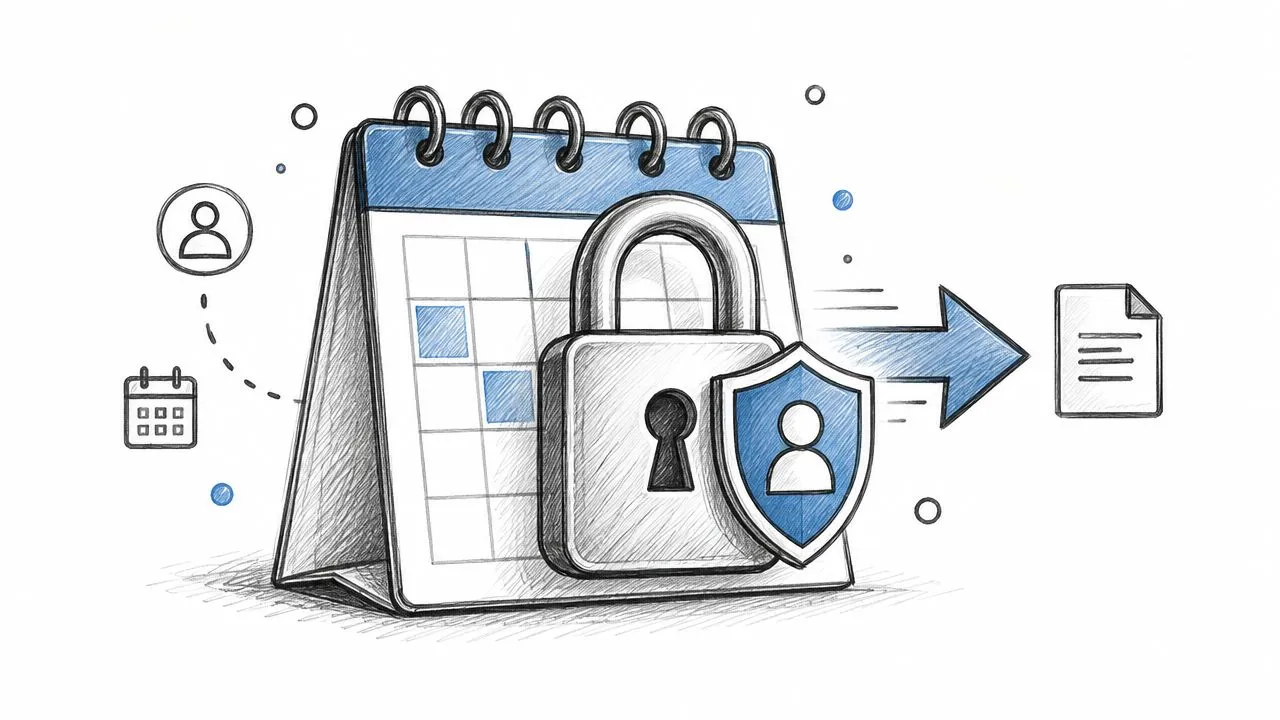
One-way sync can enforce that separation through field-level masking. Instead of copying the original title, description, guests, and location, the target may receive a generic placeholder such as “Busy.” Some configurations can remove event information altogether and preserve only the blocked interval. The source remains intact, while the destination gets the minimum practical signal.
Google’s free/busy API illustrates this data-minimization pattern. It returns only the start and end timestamps for busy intervals, not titles, guests, or locations, and one request can aggregate up to 50 calendars according to this free/busy API guide. The technical effect is straightforward: a scheduling system can identify open time without receiving the context behind every commitment.
Choose the smallest useful disclosure
A sensible privacy policy asks what the recipient needs, then exposes only that layer:
- Open and busy state: Useful for booking pages that only need available slots.
- Masked placeholder: Useful when a shared calendar must show that time is reserved.
- Selected non-sensitive event fields: Useful when a team needs operational context without private notes.
- Full event copy: Appropriate only when the recipient needs the details and has permission to see them.
Permissions still matter. A copied event can be privacy-safe at the field level, but a broadly shared target calendar may expose even those placeholders to more people than intended. Review calendar sharing permissions before connecting a personal calendar to a workplace or customer-facing account.
Privacy isn’t an obstacle to responsive scheduling. It’s a design requirement. By separating “when are you unavailable?” from “why are you unavailable?”, one-way sync supports professional boundaries without forcing people to manually explain every conflict.
One Way Sync vs Free Busy Sharing
These approaches overlap, but they aren’t interchangeable. Free/busy sharing communicates occupied intervals. One-way event sync copies event records into a target, potentially after masking or transforming their fields.
| Question | Free/busy sharing | One-way event sync |
|---|---|---|
| What reaches the recipient? | Busy intervals, typically start and end times | Copied events, placeholders, or selected fields |
| Can the target show entries in its own calendar? | Usually as availability data or blocked time | Yes, depending on the integration |
| Are titles and locations required? | No | No, if masking is configured |
| Who should use it? | People who only need open-slot information | People who need a destination calendar populated |
| Main privacy strength | Minimal disclosure by design | Configurable disclosure through field handling |
Choose free/busy sharing when a booking page, assistant, or colleague only needs to find an open slot. Google documents this model as a way to query busy intervals without exposing titles, guests, or locations. For a deeper explanation of that focused approach, see this guide to free-busy calendars.
Choose one-way sync when another calendar must contain a visible representation of the source schedule. A consultant might copy client appointments into a personal planning calendar as generic blocks. A facilities system might publish approved events into Outlook so staff can see them where they already plan their day, while edits continue to happen in the authoritative system.
The practical decision is not “which feature is more advanced?” It’s how much information does the target need to perform its job? If the answer is only availability, free/busy is usually the narrower disclosure. If the target needs recognizable, non-sensitive entries, one-way event copying can provide that view without granting write access to the source.
Setting Up Your First Sync
A first connection is easier when you treat it as a permissions and data-design exercise, not just an account-connection task. Tools such as SyncThemCalendars support one-way connections among Google Calendar, Microsoft Outlook or Office 365, and Apple iCloud calendars, with the source and destination selected separately.
A practical setup sequence
- Name the source. Pick the calendar where you create and change the original events. Don’t choose a calendar merely because it’s the one you open most often.
- Select the target. Decide where recipients or your other workflow needs to see the copied information.
- Set direction explicitly. Choose source-to-target only. Avoid enabling reverse flow unless you have a specific reason to make the destination writable.
- Choose the disclosure level. Use free/busy output, generic placeholders, or selected fields instead of copying private descriptions and locations by default.
- Limit the scope. Sync only the calendars and event categories that serve the purpose. A personal calendar may need to block time without exposing personal event names.
- Test with a harmless event. Create a temporary source event, confirm its target appearance, then remove it and verify the target follows the intended behavior.
If the target needs to display events rather than read a live account, an iCalendar file or feed may be relevant. Learn how an ICS file is created before choosing a file-based workflow, because a static export and an active sync aren’t the same thing.
A visual walkthrough can help you recognize the source and destination controls before you authorize access:
After setup, inspect the target as a recipient would. If you can see a private title, guest list, or location that the recipient doesn’t need, change the transformation rules before relying on the connection for real scheduling.
Common Misconceptions and Reliability
“One-way” doesn’t mean unreliable. It means the system has fewer writable paths to coordinate. Because the source owns changes, the sync engine can apply updates without resolving competing edits from both calendars.
It also doesn’t mean the connection can be ignored indefinitely. A sync can stop for reasons outside the event flow, especially when account access changes. CalendarBridge’s sync guidance describes one-way synchronization as a process that commonly creates placeholder events on the destination while leaving the source untouched, and it highlights configurations that can remove event information and block time only.
Failure modes to expect
- Credentials change: A password update, revoked authorization, or expired permission can interrupt access.
- Account ownership changes: A removed user or disabled account can cause the sync to disable itself, as described in this one-way sync support article.
- Calendar scope is incomplete: The connection may include only selected calendars rather than every calendar in an account.
- Future coverage is limited: Some systems sync only a defined upcoming window, so distant events may not appear immediately.
- Refresh timing varies: The destination may not update at the exact moment the source changes. Some help documentation says destination updates usually arrive within about a minute, but timing depends on the service and connection.
Those conditions don’t invalidate the architecture. They define its operating boundary. A person who relies on mirrored availability should check the connection status, confirm the latest successful update, and review the target after changing account permissions.
A “set-and-forget” calendar still needs an occasional health check. Automation removes repetitive work, not responsibility for access and scope.
One-way sync works for an individual separating personal and professional schedules just as well as it works for a team coordinating shared availability. The useful question is whether another person or system needs a controlled view of your time. If so, define the source, minimize the data, monitor the connection, and keep edits in the authoritative calendar.
SyncThemCalendars lets you configure one-way event copies and free/busy mirroring across Google Calendar, Microsoft Outlook or Office 365, and Apple iCloud, with controls for source, target, direction, and event-field privacy. Review your calendars, decide what the recipient needs to see, and visit SyncThemCalendars to set up a controlled availability workflow.
Ready to sync your calendars?
Keep your Google, Outlook and Apple iCloud calendars in sync automatically. 2-minute setup, no credit card required.
Get started freeKeep reading
More in Tutorials
How to Sync Google and Apple Calendar: Step-by-Step Setup
Sync Google and Apple Calendar with native accounts or a managed tool. Compare one-way and two-way options, follow the steps, and fix common problems.
How to Add Gmail Calendar to Outlook Without Duplicates
See how to add Gmail Calendar to Outlook by subscribing for a live view or using two-way sync, then avoid privacy leaks and duplicate events.
Export Outlook Calendar to Google: A 2026 Step-by-Step Guide
Learn how to export Outlook calendar to Google with clear steps for ICS and CSV imports, recurring-event checks, and verification tips that work in 2026.